
Manav Sampada Appointment Choice Filling 2026 – Complete Step-by-Step Guide for UP Employees
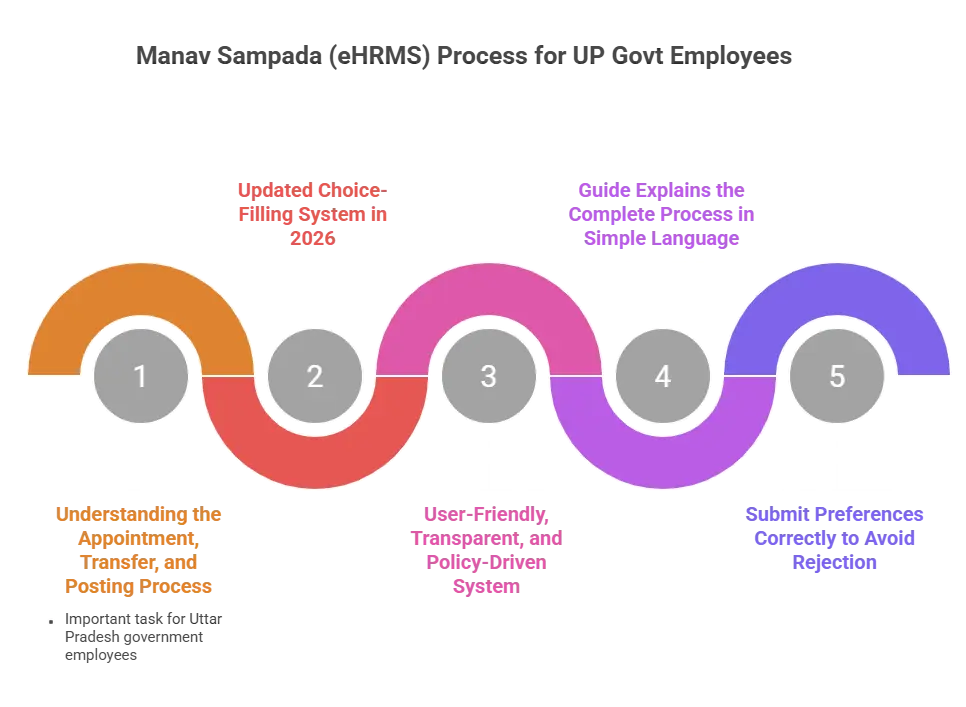
Navigating the appointment, transfer, and posting process on the Manav Sampada (eHRMS) portal is an important task for Uttar Pradesh government employees. In 2026, the updated choice-filling system has become more user-friendly, transparent, and policy-driven. This guide explains the complete process in simple language so that you can submit your preferences correctly and avoid rejection.
Step-by-Step Guide to Filling Appointment Choices On Manav Sampada
Manav Sampada appointment choice filling process requires careful attention at every stage. From login to final submission, each step plays a crucial role in determining your posting or transfer outcome.
Step 1: Secure Login to the eHRMS Portal
To start the process, follow these simple steps:
- Visit the official Manav Sampada website: ehrms.upsdc.gov.in
- Click on the “EHRMS Login” button
- From the dropdown menu, select:
- State: Uttar Pradesh
- Department: Choose your department (EDUBASIC, MEDHLTH, NHM, etc.)
- Enter your 8-digit Employee ID
- Type your password
- Fill in the captcha code correctly
Click on the Login button to open your dashboard
Security Tip (2026 Update)
- If you are logging in for the first time, change your default password immediately
- Create a strong password using letters, numbers, and symbols
- Enable extra security features if available
- Never share your login details with anyone
Step 2: Navigate to the Transfer/Posting Module
After logging in, follow these steps to reach the choice filling module:
- Open your dashboard after successful login
- Look for the Transfer / Posting / Appointment related section
- Select the correct option according to your department:
For Different Departments
- For Teachers (EDUBASIC):
- Go to Services
- Click on Transfer Module
- Select Online Choice Filling
- For Health & NHM Staff:
- Open Posting & Allocation
- Click on Submit Preferences
- For Other Departments:
- Search for options like:
- General Transfer
- Online Transfer
- Appointment Choice Filling
- Search for options like:
Click on the relevant option to continue
Step 3: The Choice Filling Interface (2026 New Features)
After opening the choice filling page, follow these steps properly:
Read Instructions and Vacancy Details
- First, read all on-screen instructions carefully
- Check the latest transfer policy
- Review district-wise and block-wise vacancies
- Confirm your eligibility category (General, Spouse, Medical, etc.)
Select Your Preferred Locations
- Choose your preferred district from the dropdown list or interactive map
- If required, select the block, school, or institution
- Add multiple choices to increase your chances
- The system usually allows up to 15 preferences
Arrange Choices by Priority
- Place your most desired location at number one
- Arrange other options in order of importance
- Remember: Higher priority = Better chances
Choose the Correct Transfer Reason
- Select your transfer ground from the dropdown menu, such as:
- Spouse working area
- Medical reason
- Home district
- Hardship category
- Always choose the correct reason, as it decides your quota
Complete the Mandatory Declaration (2026 Update)
- Answer all declaration questions honestly
- Common questions include:
- Are any disciplinary or court cases pending? (Yes/No)
- Have you completed the required service period? (Yes/No)
- Wrong information may cause rejection
- Some cases may require extra documents
Step 4: Document Upload & Final Submission
Before completing your application, carefully follow these steps:
Upload Required Supporting Documents
- Upload documents only if you have selected special grounds such as:
- Medical reasons
- Spouse category
- Hardship cases
- Make sure all documents are:
- Clear and readable
- Properly scanned
- Within the allowed file size limit
- Accepted file formats usually include:
- JPG
- PNG
Important Document Requirements
- For Medical Grounds:
- Doctor’s certificate
- Medical reports
- Digitally signed documents (if required)
- For Spouse Grounds:
- Spouse’s posting order
- Marriage certificate
- Affidavit (if applicable)
Review and Lock Your Choices
- Open the Preview Page before final submission
- Carefully check:
- Selected preferences
- Transfer reasons
- Uploaded documents
- Personal details
- If everything is correct, click on Save and Lock Preferences
⚠️ Important Warning:
Once your choices are locked, they cannot be edited or changed. Confirm only when you are completely sure.
2026 Pro-Tips for Strategic Choice Filling
Follow these expert tips to maximize your chances of getting your preferred posting:
Research Vacancies Before Filling
- Check the public Vacancy Dashboard on the UPSDC website
- Look for available districts, blocks, and positions
- Avoid filling choices based only on popularity
- Make informed decisions to improve allocation chances
Balance Your Preference List
- Include a mix of high-demand and moderate-demand districts
- Suggested ratio:
- 1–2 high-demand districts
- 3–4 moderate-demand districts
- This increases your chances of allocation while keeping realistic options
Ensure Correct Documentation
- Upload clear, legible, and complete documents
- Translate documents officially if not in Hindi or English
- Blurry or incomplete files are a common cause of rejection
- Double-check each file before uploading
Avoid Session Timeout Issues
- The 2026 portal has a 15-minute inactivity timeout
- Prepare your preference list offline first
- Fill and submit the form quickly online to prevent session expiry
How to Fill Appointment Choices Using a Mobile Phone
The Manav Sampada portal is mobile-friendly and can be accessed through smartphones. However, users must be careful while using mobile devices.
Process on Android Devices
Open a secure browser on your phone and visit the official portal. Log in using your credentials and follow the same steps as on a desktop. Use stable internet to prevent session errors.
Common Mobile Errors and Fixes
Common mobile issues include slow loading, session timeout, and document upload failure. To avoid these problems, clear browser cache, use Wi-Fi if possible, and upload compressed files.
Common Mistakes and Their Solutions
Many applications are rejected due to small but avoidable mistakes. Understanding these errors can help you submit a successful form.
Wrong Choice Selection Issue
Some users select popular districts without checking vacancy availability. Always balance your preferences with realistic options.
Submission Failed Error
This error usually occurs due to slow internet or incomplete information. Save your progress frequently and ensure all mandatory fields are filled.
Login and OTP Problems
Incorrect mobile number, network issues, or delayed messages may cause OTP problems. Keep your registered mobile number active and updated.
Expert Tips for Better Transfer and Posting
Following expert advice can increase your chances of getting a preferred posting.
How to Fill Choices by Priority
Place your most desired location first, followed by moderate-demand areas. Avoid filling only high-demand districts.
Ways to Increase Approval Chances
Upload clear documents, select the correct category, and follow departmental policies strictly. Accuracy improves your credibility.
Recommended Strategy by Experts
Prepare your preference list in advance. Research vacancies and discuss with senior colleagues before final submission.
Conclusion
Manav Sampada appointment choice filling is a crucial process that requires accuracy, patience, and preparation. By following the correct steps, understanding the latest rules, and avoiding common mistakes, employees can improve their chances of getting a suitable posting.
Always use the official portal, submit clear documents, and complete the process before deadlines. Careful planning and honest information are the keys to a successful application in 2026.