
Why Is the “Apply Leave” Button Missing on
In most cases, when you log in to your Manav Sampada to apply for leave or to submit a leave request, you don’t see a button. This is a common issue, and you are not alone in facing this frustration, as many more people are experiencing it. This is caused by some reasons. But there is good news that this problem can be solved easily. Let’s check it and fix it.
Possible Reasons the “Apply Leave” Button is Missing
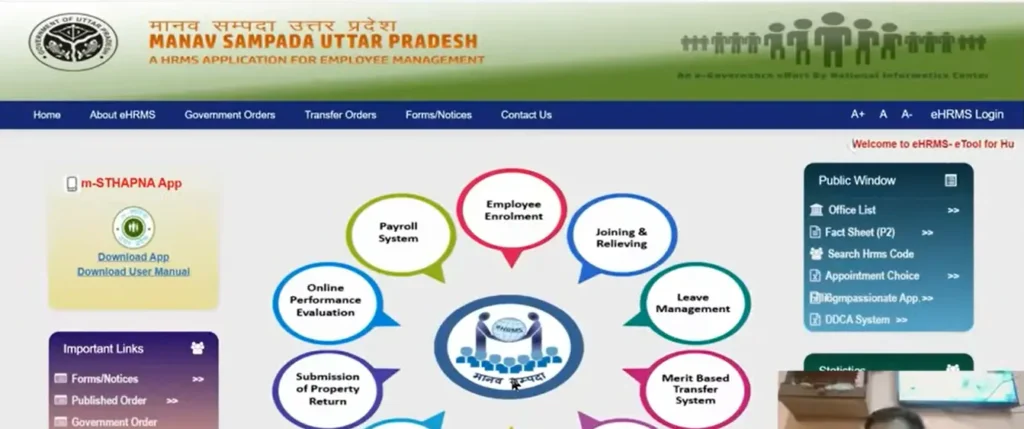
1. You Haven’t Been Assigned Leave Privileges
The main reason the leave button often disappear when an employee doesn’t have the required permissions. This usually means the HR or IT team hasn’t enabled leave access for that profile. It can depend on your role or department settings. The solution is to contact HR or the IT department to confirm and update the employee’s leave
You’re Logged in with the Wrong Role or Department
Manav Sampada gives different access based on roles and departments. If someone is logged in under a role that doesn’t have permission to apply for leave, the option won’t be visible. Ensuring the correct role and department are selected and logging in again if there have been recent changes can often resolve the issue.
Leave Balance is Insufficient
When your leave balance is zero, the system may hide the option to apply for leave. Checking the leave summary can confirm this. If the balance hasn’t been updated yet, the employee may need to wait or use an alternative method to request leave until the system reflects the correct balance.
Portal Maintenance or System Glitch
Occasionally, system glitches or maintenance can make the “Apply Leave” button disappear temporarily. Because of this, the leave option may not appear. A simple page refresh or logging out and back in often fixes the issue. If the problem continues, it’s best to check with HR or IT to see if there’s a technical issue affecting the portal.
Incomplete Profile Information
An incomplete employee profile can also stop the leave option from showing. If important details like personal information or department data are missing, the system may restrict access to certain features. Ensuring that all personal and departmental information is complete and up to date can restore access to the leave option.
What to Do If the Button is Still Missing?
If the leave button still doesn’t appear after trying everything, it’s best to take the next step. Contact the IT support team to check if there’s a system problem or downtime. Also, watch for any official updates that may explain temporary changes. If the leave is urgent, inform your HR or supervisor and apply through a manual process until the system issue is resolved.
Final Thoughts
If the “Apply Leave” button is missing on Manav Sampada, it’s usually due to access restrictions, system issues, or incomplete profile details. Most of the time, these problems can be fixed quickly. If it still doesn’t appear, contact HR or IT for help so you can apply for leave without delay.